When you're stuck on a wiring diagram at midnight or your Arduino sketch throws an error you've never seen before, who do you turn to? For most makers, the answer is other makers. Maker codes online community support is the shared knowledge, feedback, and troubleshooting help that happens when hobbyists, engineers, and tinkerers connect in forums, Discord servers, GitHub repos, and social platforms. It matters because no one builds hardware projects alone and the right community response can save you hours of frustration.
What does maker codes online community support actually mean?
It refers to any peer-driven help system where makers share code snippets, circuit advice, debugging strategies, and project feedback online. This includes platforms like Reddit's r/arduino, Stack Overflow's embedded tags, Maker Forums, and dedicated Discord communities. The "maker codes" part connects to the programming side the actual programming fundamentals you need as a beginner to write, read, and troubleshoot code for physical projects.
Unlike official manufacturer documentation, community support comes from people who have already hit the same wall you're facing. That lived experience makes the advice more practical and often easier to understand.
Why would someone look for community support instead of official docs?
Official documentation tells you how something should work. Community support tells you how it actually works including the bugs, workarounds, and shortcuts that don't appear in datasheets. Here's when makers typically reach out:
- Debugging unexpected behavior your sensor readings are noisy, your motor stalls randomly, or your serial output looks garbled.
- Choosing between libraries or components should you use the Adafruit NeoPixel library or FastLED for your LED strip project?
- Code review and feedback you wrote something that works, but you want to know if it's efficient or if there's a cleaner way to handle it.
- Learning by reading others' questions many makers learn more from browsing solved threads than from tutorials.
Where do makers actually get help online?
Not all platforms work the same way. Some are better for quick questions; others suit deep project discussions. Here are the most active spaces:
Forums and Q&A sites
Stack Overflow and Arduino Forum remain some of the most indexed sources. If you search for a specific error message, chances are someone has already asked about it. The trick is learning how to search effectively copy the exact error text from your serial monitor into the search bar.
Discord and real-time chat
Communities like the Arduino Discord or Adafruit's Discord server offer near-instant feedback. This works well when you're in the middle of a build and need a quick sanity check. The tradeoff is that answers may be less detailed since people type fast.
GitHub and code repositories
When your question is specifically about code, opening an issue on a library's GitHub page can get you help from the people who actually wrote it. If you're exploring Arduino coding examples and projects, checking the issues tab on related GitHub repos often reveals common pitfalls others have found.
Social platforms and project sharing
Reddit, Hackaday.io, and even YouTube comment sections serve as informal support channels. Posting your project with clear photos and your code gets more useful responses than vague descriptions.
What kinds of problems can maker communities actually solve?
Here are real examples of the type of support you can expect:
- Hardware-software interaction bugs your code compiles fine but the relay doesn't trigger. A community member might point out that your pin can't source enough current and suggest a transistor circuit.
- Library conflicts two libraries fight over the same timer. Someone who dealt with this before can suggest a version pinning fix or an alternative library.
- Project architecture advice you want to build a home weather station but aren't sure whether to use an ESP32 or a Raspberry Pi. Community input helps you match hardware to your actual needs. Starting with IoT starter projects and asking for architecture feedback is a solid approach.
- Code optimization your loop function works but runs slow. Someone might show you how to use interrupts or replace
delay()withmillis()-based timing.
What are the most common mistakes when asking for help?
Getting good answers depends on asking good questions. These mistakes reduce your chances of getting useful support:
- Posting without context "My code doesn't work" tells people nothing. Include your board type, the library version, wiring details, and the exact error or behavior.
- Pasting code as a screenshot always share code as text so others can copy, test, and modify it. Use pastebin or GitHub Gists for longer sketches.
- Asking for someone to do the whole project communities help with specific problems. If you need a full build, look for freelance services instead.
- Ignoring existing threads search before you post. Your exact question may have been answered three threads down.
- Not following up if someone's suggestion fixed your problem, say so and mark it solved. If it didn't, explain what happened. Unanswered threads waste everyone's time and search index space.
How do you get better, faster answers from maker communities?
A few habits make a big difference in the quality of support you receive:
- Isolate the problem first strip your code down to the smallest version that still shows the bug. This is called a minimal reproducible example, and it makes it far easier for others to help.
- Show your wiring a quick hand-drawn diagram or a photo of your breadboard solves more problems than you'd expect. Many code issues are actually wiring issues.
- State what you already tried listing failed attempts saves everyone time and shows you've put in effort.
- Be specific about your goal instead of "how do I make my project better," say "I want to reduce power consumption during sleep mode on my ESP32."
- Give back when you can even if you're a beginner, you can help others at your level. Answering questions is one of the fastest ways to learn.
Is community support reliable enough for serious projects?
For hobby projects and learning, community support is one of the best resources available. For production-grade or safety-critical work like medical devices or automotive systems you need verified documentation, formal testing, and professional review. Community advice is a starting point, not a final authority.
That said, many open-source libraries and hardware designs used in commercial products started as community-supported projects. The line between hobby and professional is thinner than most people think in the maker world.
Quick checklist before you post your next question
- Search the forum or platform for existing answers to your question.
- Include your board model, library versions, and wiring setup.
- Share your code as copyable text, not a screenshot.
- Describe the expected behavior and the actual behavior.
- List what you've already tried to fix it.
- Ask one specific question, not five vague ones.
- Follow up with results close the loop so the next person benefits too.
Good community support starts with good communication. The more clearly you describe your problem, the faster you'll get back to building.
 Maker Codes: Programming Fundamentals for Beginners Guide
 Maker Codes Arduino Coding Examples
 Robotics Programming Challenges for Beginner Makers
 Iot Starter Projects Using Maker Codes
 How to Create Qr Code Projects Using Maker Codes: a Step-by-Step Guide
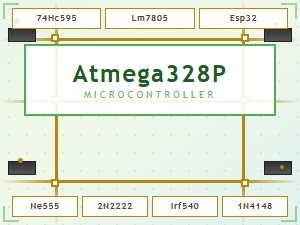 Common Maker Codes for Circuit Board Components Explained