Getting your first IoT project to actually work feels incredible. You write some code, wire up a sensor, and suddenly a light blinks when the temperature changes or your phone buzzes when someone opens a door. Maker codes IoT starter projects give you the hands-on foundation to build exactly that kind of thing without needing an engineering degree or expensive equipment. If you've been curious about connected devices but didn't know where to begin, these beginner-friendly projects are your entry point.
What are maker codes IoT starter projects?
Maker codes IoT starter projects are small, guided builds designed for people new to the Internet of Things. They combine basic hardware like microcontrollers, sensors, and LEDs with beginner-level code to create simple connected devices. Think of them as recipes. Each one tells you what parts to gather, how to wire them together, and what code to upload so the project runs. The "starter" part means they assume little to no prior experience. You learn by doing, one small project at a time.
The term "maker" comes from the maker movement a community of hobbyists, tinkerers, and DIY builders who create things with electronics, 3D printers, wood, and code. IoT stands for Internet of Things, which simply means physical devices that connect to the internet or each other to share data. A soil moisture sensor that texts your phone when your garden needs water? That's IoT. A motion-activated security light? Also IoT.
Why should a beginner start with IoT starter projects?
Jumping straight into a complex IoT build like a home automation system or a weather station with cloud dashboards almost always leads to frustration. There are too many moving parts. Starter projects isolate individual skills so you can learn them one at a time. You focus on reading a sensor first, then controlling an LED, then sending data over Wi-Fi. Each small win builds confidence and understanding.
These projects also teach you programming fundamentals for beginners in a practical context. Instead of abstract exercises, you see your code do something physical. That feedback loop code, upload, observe keeps motivation high and helps concepts stick.
What hardware do you need to get started?
You don't need much. A typical maker codes IoT starter kit includes:
- A microcontroller board Arduino Uno, ESP8266, or ESP32 are popular choices. The ESP32 is especially common for IoT because it has built-in Wi-Fi and Bluetooth.
- Sensors temperature (DHT11 or DHT22), motion (PIR), light (LDR), or soil moisture sensors are all beginner-friendly.
- LEDs and resistors cheap and useful for learning digital output.
- Jumper wires and a breadboard for connecting components without soldering.
- A USB cable to upload code from your computer to the board.
Most starter kits cost between $20 and $50 and include enough parts for 10–15 different projects. You don't need a separate power supply right away USB power from your laptop works fine for basic builds.
What are some good first projects to try?
Blink an LED with a sensor trigger
This is the "Hello World" of IoT. You wire an LED to your microcontroller, read a push button or light sensor, and make the LED turn on when the sensor detects something. It teaches digital input, digital output, and the basic structure of a sketch. You can finish it in under 30 minutes.
Temperature monitor with serial output
Connect a DHT22 sensor and print temperature and humidity readings to your computer's serial monitor. No internet needed yet. This project teaches you how to read analog or digital sensor data and display it a core skill for almost every IoT project that follows.
Wi-Fi-connected motion alert
Using an ESP32 and a PIR motion sensor, you can send a notification to a free service like IFTTT or a Telegram bot when motion is detected. This is usually the first project where "things" actually become "internet of things." It introduces Wi-Fi connectivity, HTTP requests, and API calls all from a simple sensor trigger.
Smart plant watering indicator
A soil moisture sensor reads the water level in a pot. When the soil is too dry, an LED lights up or a buzzer sounds. Add Wi-Fi, and you can log the data to a cloud platform like ThingSpeak. This project combines sensor reading, conditional logic, and data logging in a practical, relatable context.
For those who want to push further into hardware-software integration, robotics programming challenges build on the same foundational skills these starter projects teach.
Where do you find the code for these projects?
You have several options, and most are free:
- Arduino Project Hub thousands of community-submitted tutorials with code, wiring diagrams, and explanations.
- Random Nerd Tutorials especially strong for ESP32 and ESP8266 IoT projects with step-by-step screenshots.
- Maker Codes community you can get help from the online community when you hit a wall or want feedback on your build.
- GitHub repositories search for your board name plus the sensor you're using, and you'll find working code you can study and modify.
Reading and modifying existing code is one of the fastest ways to learn. Don't just copy and paste change a value, rename a variable, add a comment explaining what each line does. That active engagement makes the learning stick.
What programming language do these projects use?
Most Arduino-based IoT starter projects use a simplified version of C/C++. If that sounds intimidating, don't worry. The syntax for beginner projects is straightforward. You mainly work with setup(), loop(), digitalRead(), digitalWrite(), analogRead(), and basic if/else statements. That's it for your first several builds.
ESP32 and ESP8266 boards also support MicroPython, which some beginners find easier to read. The logic is the same you're still reading sensors and controlling outputs but the syntax looks more like plain English.
Before diving in, it helps to review basic programming concepts so terms like variables, functions, and loops feel familiar.
What mistakes do beginners make with IoT starter projects?
After seeing hundreds of people work through their first builds, a few patterns show up again and again:
- Skipping the wiring diagram. Watching a YouTube video at full speed and guessing the connections leads to reversed pins and shorted components. Always double-check the diagram before powering on.
- Using the wrong board settings in the IDE. If you select "Arduino Uno" when you're actually using an ESP32, your code won't compile. Match the board and port settings exactly.
- Forthing pull-up or pull-down resistors. Floating pins cause erratic readings. Many sensors and buttons need a resistor to give a stable signal.
- Uploading code with the wrong voltage. Some boards run at 3.3V, others at 5V. Connecting a 5V sensor to a 3.3V pin can damage the board.
- Trying to do too much at once. Build and test one piece at a time. Get the sensor reading working before you add Wi-Fi. Get Wi-Fi working before you add a cloud dashboard.
How do you move from starter projects to more advanced builds?
Once you've completed three or four starter projects, you'll notice you're reusing the same patterns. Sensor reading, conditional logic, data output these are the building blocks. The next step is combining them:
- Add a second sensor to an existing project. A temperature monitor becomes a weather station when you add humidity, pressure, and light sensors.
- Replace serial output with a web dashboard. Tools like Blynk, ThingSpeak, or a simple self-hosted web page let you view data from anywhere.
- Introduce actuators. Instead of just reading data, make something happen spin a motor, open a relay, trigger a servo.
- Design your own project from scratch. Pick a problem in your daily life. Can a sensor and some code solve it? That shift from following tutorials to solving real problems is where the real learning happens.
Quick checklist before you start your first build
- Board selected and USB cable ready
- Arduino IDE (or PlatformIO) installed and board drivers added
- Wiring diagram printed or displayed on a second screen
- Sensor datasheet bookmarked so you can check pinout and voltage
- Code uploaded and tested with a simple LED blink before adding sensors
- Serial monitor open so you can see real-time output as you build
Start with the LED blink. Wire it exactly as shown. Upload the code. Watch it work. Then swap the LED for a sensor and go from there. Every complex IoT project you admire started with someone doing exactly this one small, working piece at a time.
If you're exploring maker aesthetics for project documentation, labels, or your build log, the Pixel Code font gives your pages a clean, technical look that matches the maker vibe.
 Maker Codes: Programming Fundamentals for Beginners Guide
 Maker Codes Arduino Coding Examples
 Robotics Programming Challenges for Beginner Makers
 Online Community Support for Beginner Programmers and Makers
 How to Create Qr Code Projects Using Maker Codes: a Step-by-Step Guide
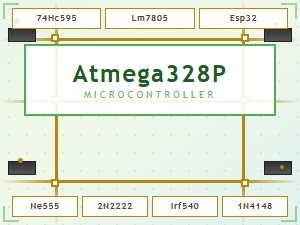 Common Maker Codes for Circuit Board Components Explained