If you build things with Arduino, Raspberry Pi, or other maker hardware, you already know the frustration of losing track of code versions, accidentally overwriting a working sketch, or struggling to share your project with a teammate. Hosting your maker codes on GitLab solves all of that and it's free. This guide walks you through the exact steps to get your maker project code onto GitLab, even if you've never used Git before.
What exactly are "maker codes" and why do they need a home?
Maker codes are the source files you write for physical computing projects Arduino sketches, Raspberry Pi Python scripts, ESP32 firmware, 3D printer configurations, and similar creative hardware code. Right now, your files might live on your desktop, a USB drive, or scattered across devices. That works until it doesn't.
A code repository gives your project a single, organized location with a full history of every change you've made. If you're working on open-source maker codes for Raspberry Pi and collaborative hardware projects, a proper hosting platform becomes even more important because other people need to find and contribute to your work.
Why GitLab instead of GitHub or other platforms?
GitLab is free for unlimited private and public repositories. That matters for makers who sometimes want to keep a project private while prototyping, then open it up later. GitLab also includes built-in CI/CD (automated testing and deployment), issue tracking, and a wiki all in one place. For maker projects that involve hardware and software together, having everything under one roof saves time.
That said, the choice depends on where your collaborators already are. GitLab, GitHub, and similar platforms all handle Git version control well. The steps below focus on GitLab specifically, but the Git commands transfer to any platform.
How do I set up a GitLab account and create my first project?
Go to GitLab.com and sign up for a free account. You'll need a username, email, and password. Once you're in:
- Click "New project" on your dashboard.
- Select "Create blank project."
- Name it something clear, like arduino-weather-station or pi-garden-monitor.
- Choose Private if you're still developing, or Public if you want to share from the start.
- Check the box for "Initialize repository with a README" this gives you a starting point.
- Click "Create project."
You now have an empty repository with a URL like gitlab.com/yourname/arduino-weather-station.
How do I get my maker code files into GitLab?
You have two options: the web interface (easier for beginners) or the Git command line (more powerful once you're comfortable).
Uploading through the web interface
Navigate to your project page, click the "+" button, and select "Upload file." You can drag and drop your .ino, .py, .cpp, or other source files right there. This works fine for small projects with just a few files.
Using Git on your computer (recommended)
Install Git on your machine. Then open a terminal in your project folder and run:
git init
git remote add origin https://gitlab.com/yourname/your-project.git
git add .
git commit -m "Initial upload of maker code"
git push -u origin main
Every time you make changes, repeat the add, commit, and push steps. This creates a version history so you can always go back to a previous working state critical when you're debugging hardware that doesn't always behave predictably.
What's the best way to organize my maker project in a repository?
A messy repository is almost worse than no repository. Here's a structure that works well for maker projects:
- /src your main code files (Arduino sketches, Python scripts)
- /lib any custom libraries or dependencies
- /docs wiring diagrams, setup instructions, datasheets
- /hardware PCB designs, 3D-printable enclosure files, schematics
- README.md what the project does, what hardware you need, how to flash the code
- .gitignore files Git should skip (compiled binaries, IDE cache, OS junk files)
A good README is especially important. Include the parts list, wiring connections, and step-by-step build instructions. If you're building on existing work, link to best practices for version control and code repository management to keep your workflow clean as the project grows.
Should I include my hardware documentation too?
Yes. Maker projects are hardware-plus-software storing only the code loses half the picture. Upload your Fritzing diagrams, KiCad schematics, or even photos of your breadboard setup into the /docs or /hardware folder. Git handles binary files, though for very large files (like 3D models), look into Git LFS (Large File Storage), which GitLab supports natively.
What common mistakes do beginners make when hosting maker codes?
Here are the pitfalls I see most often:
- No .gitignore file. Without one, you'll commit compiled binaries, IDE cache files, and operating system clutter. Use a template GitLab has Arduino and Python .gitignore templates ready to go.
- Committing secrets. Never upload Wi-Fi passwords, API keys, or hardcoded credentials. Use a separate config.h.example file that users copy and fill in with their own values.
- One giant commit. Commit small, logical changes with clear messages like "Add temperature sensor reading" rather than dumping everything at once. This makes debugging much easier later.
- Skipping the README. If someone finds your project three months from now including future you they need context.
- No license file. If you want others to use or build on your work, add a LICENSE file. MIT and GPL are common choices for maker projects.
Can I use GitLab CI/CD to test my maker code automatically?
Yes, and this is one of GitLab's strongest features. You can set up a .gitlab-ci.yml file that automatically compiles your Arduino sketch or runs your Python tests every time you push code. For example, using PlatformIO with GitLab CI lets you verify that your sketch compiles for the correct board without touching hardware.
This catches errors early especially useful when you're working on Arduino maker codes and embedded systems libraries where a small syntax mistake can mean hours of hardware debugging.
How do I share my maker project with collaborators?
If your project is public, just send people the link. For private projects, go to Settings → Members and invite collaborators by email or GitLab username. You can set permission levels:
- Guest can view issues and leave comments
- Developer can push code and create merge requests
- Maintainer can manage settings and merge code
Use merge requests (GitLab's version of pull requests) to review changes before they go into your main codebase. This prevents someone from accidentally breaking a working build.
What should I do after my code is on GitLab?
Once your repository is live, take these next steps:
- Tag a release. When your project works, create a Git tag like v1.0 so people can download a stable version.
- Add topics/tags to your project (like arduino, raspberry-pi, maker, iot) so others can discover it through GitLab search.
- Enable the Wiki if your project needs detailed documentation beyond the README.
- Set up Issues to track bugs and feature ideas even for solo projects, this keeps you organized.
- Share it. Post on maker forums, Reddit communities, or link to it from your project page.
Quick-start checklist:
- ✅ Create a free GitLab account
- ✅ Initialize a new project with a descriptive name
- ✅ Add a .gitignore file for your platform (Arduino, Python, etc.)
- ✅ Upload or push your code files
- ✅ Write a README with parts list, wiring, and setup steps
- ✅ Add a LICENSE file
- ✅ Remove any hardcoded passwords or API keys before pushing
- ✅ Commit early, commit often with clear messages
- ✅ Tag your first stable release when it works
 Maker Codes Github Repository for Robotics Projects
 Arduino Maker Codes Npm Library for Embedded Systems Projects
 Maker Codes Repository Best Practices for Version Control Guide
 Open Source Maker Codes Raspberry Pi Collaboration Platform
 How to Create Qr Code Projects Using Maker Codes: a Step-by-Step Guide
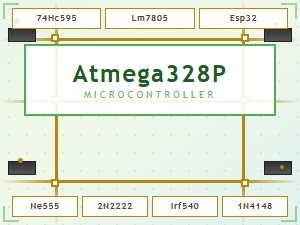 Common Maker Codes for Circuit Board Components Explained